
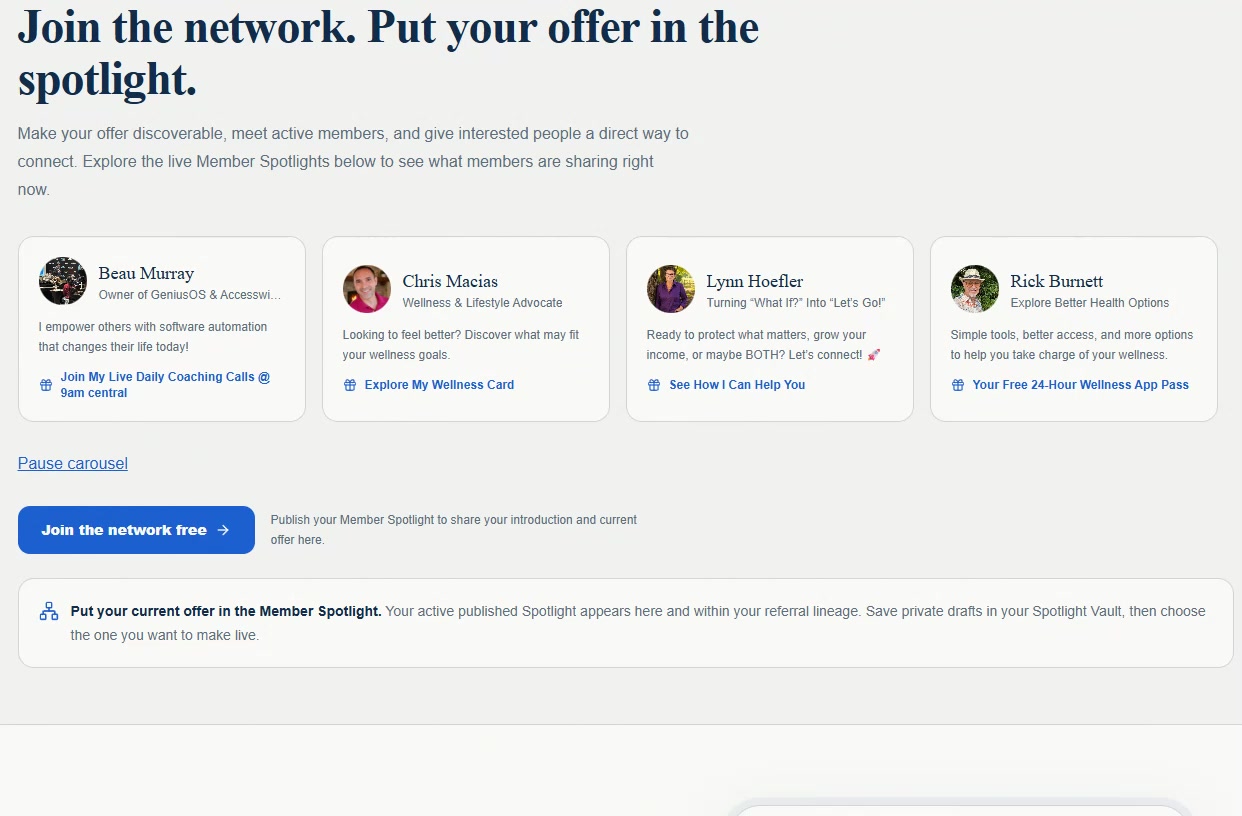
01 · Visibility
Member Spotlight
Publish your introduction and current offer where active members and interested people can find it. Your active published Spotlight appears on the network and within your referral lineage.
Live Member Spotlight network
Make your offer discoverable, meet active members, and give interested people a direct way to connect. Explore the live Member Spotlights below to see what members are sharing right now.
Publish your Member Spotlight to share your introduction and current offer here.
Put your current offer in the Member Spotlight. Your active published Spotlight appears here and within your referral lineage. Save private drafts in your Spotlight Vault, then choose the one you want to make live.
More than a link to your business. A next step into your business. Turn your professional introduction into a personal sales experience that captures interest, routes prospects to the offer they want, and connects to your follow-up and team-growth workspace.
Try it yourself: explore Alex Morgan's fictional demo Accesscard. Enter a name, choose a path, preview an offer and save the sample contact. Nothing is booked, submitted or sent.
Accesswithme
Interactive Accesscard · Demo profile
A personal welcome
Step 1 of 3The workspace
Product stills below show fictional example data, not real members, results or activity.
01 · Visibility
Publish your introduction and current offer where active members and interested people can find it. Your active published Spotlight appears on the network and within your referral lineage.
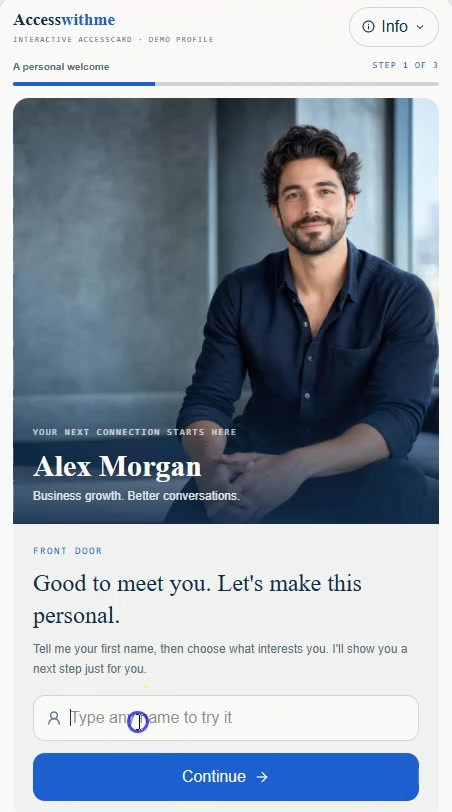
02 · Visitor experience
A Front Door captures a first name. The Hook asks one personal question with up to three choices. The Close delivers a tailored offer, media, and a clear next action.
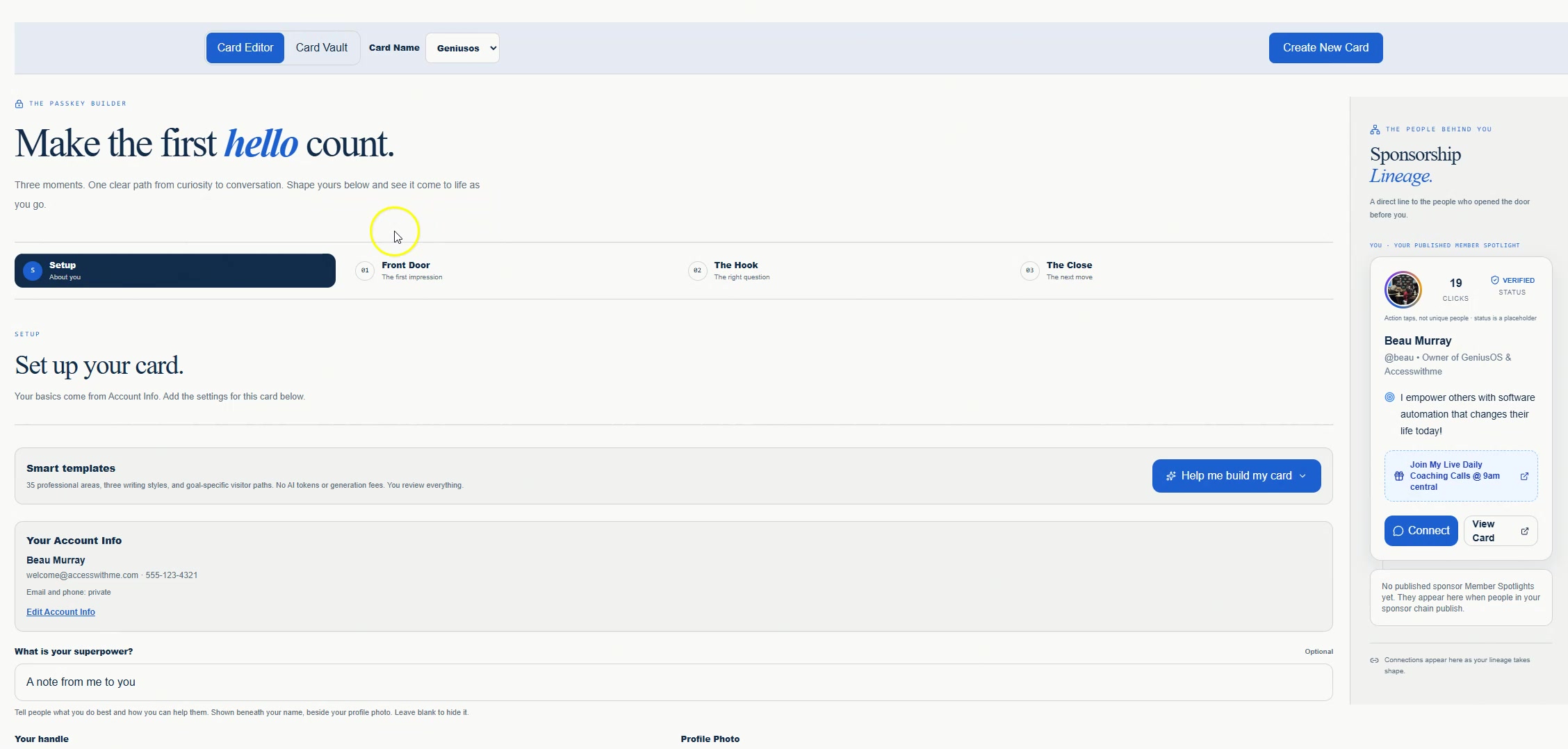
03 · Builder
Edit private drafts while the published snapshot stays live. Use your own custom domain.
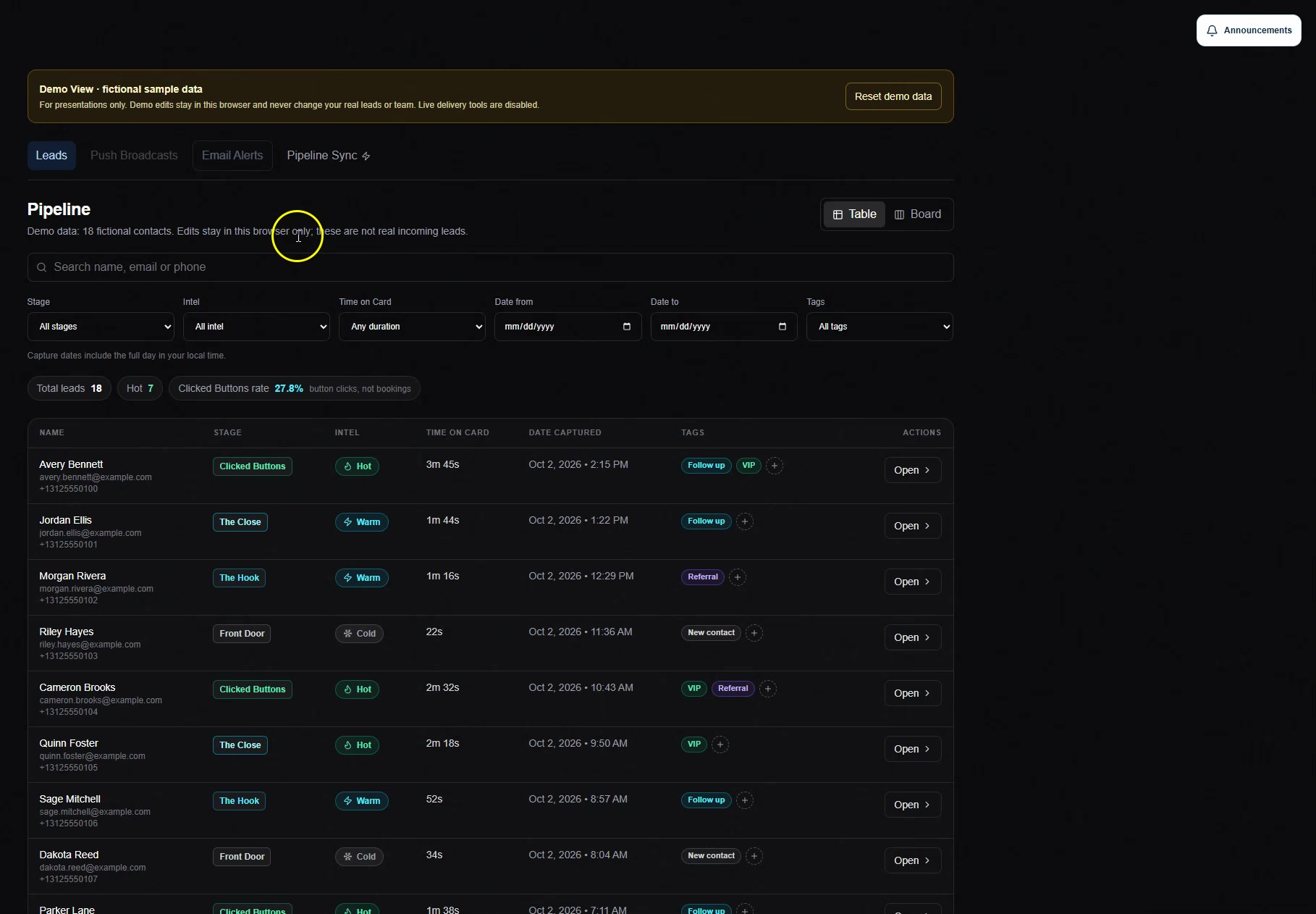
04 · Follow-up
Visitors are tracked through each step and button click, then labeled Hot, Warm, or Cold by engagement. Add notes and hand off contacts.
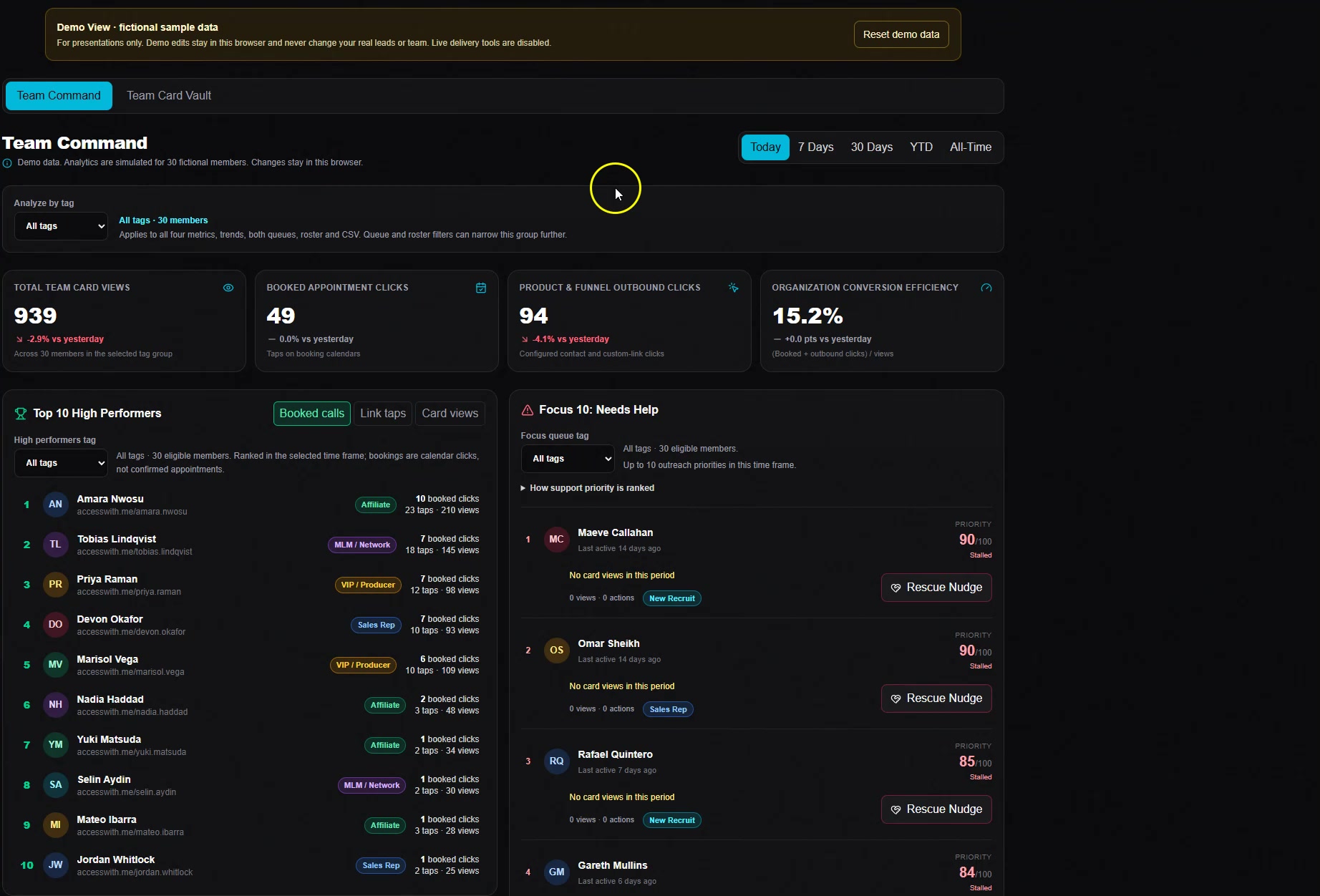
05 · Team
See your referral hierarchy and click engagement, and send targeted team announcements.
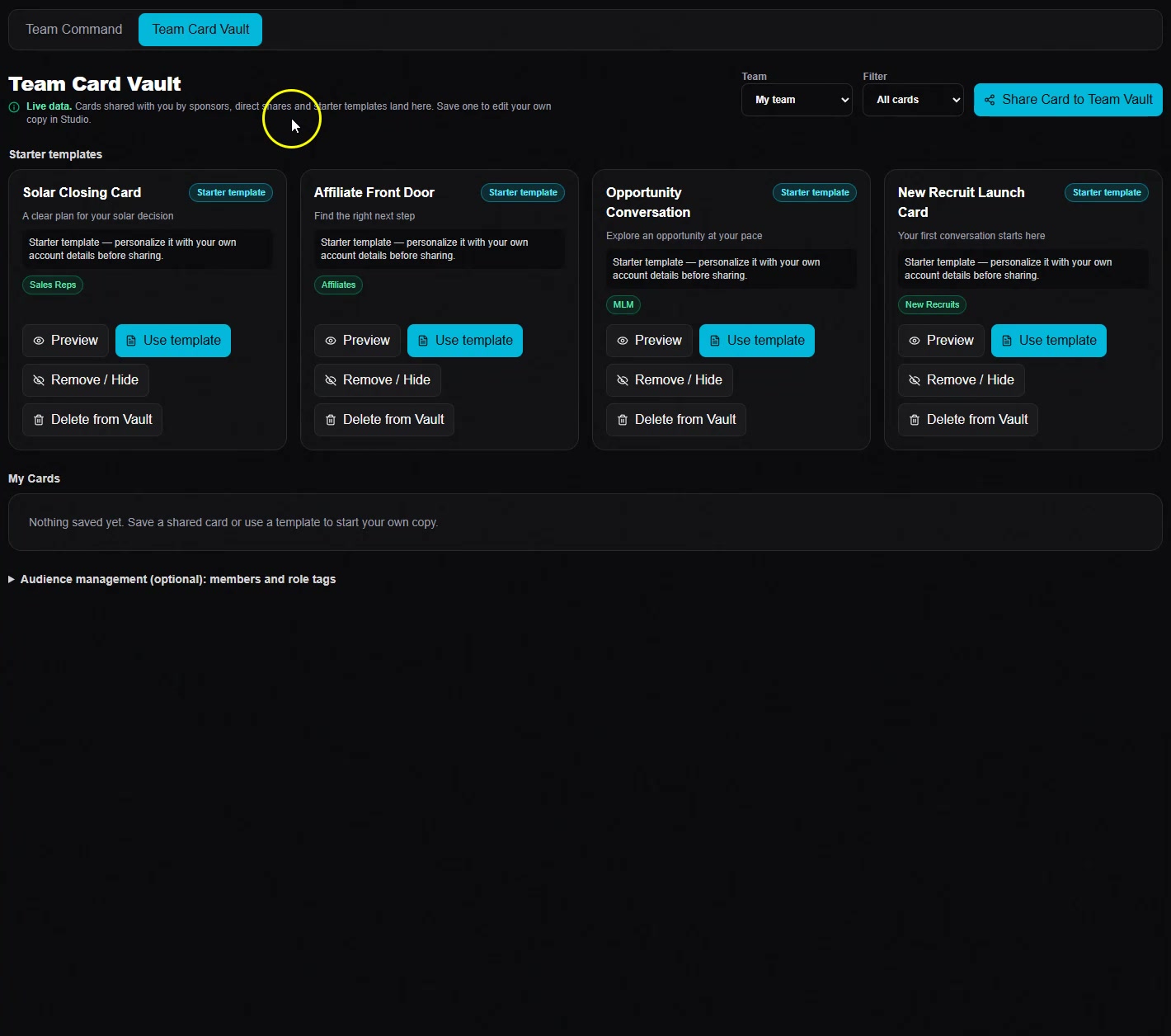
06 · Library
Save private drafts in your Spotlight Vault and choose which one goes live. Reuse ready-to-run cards from the Team Card Vault.
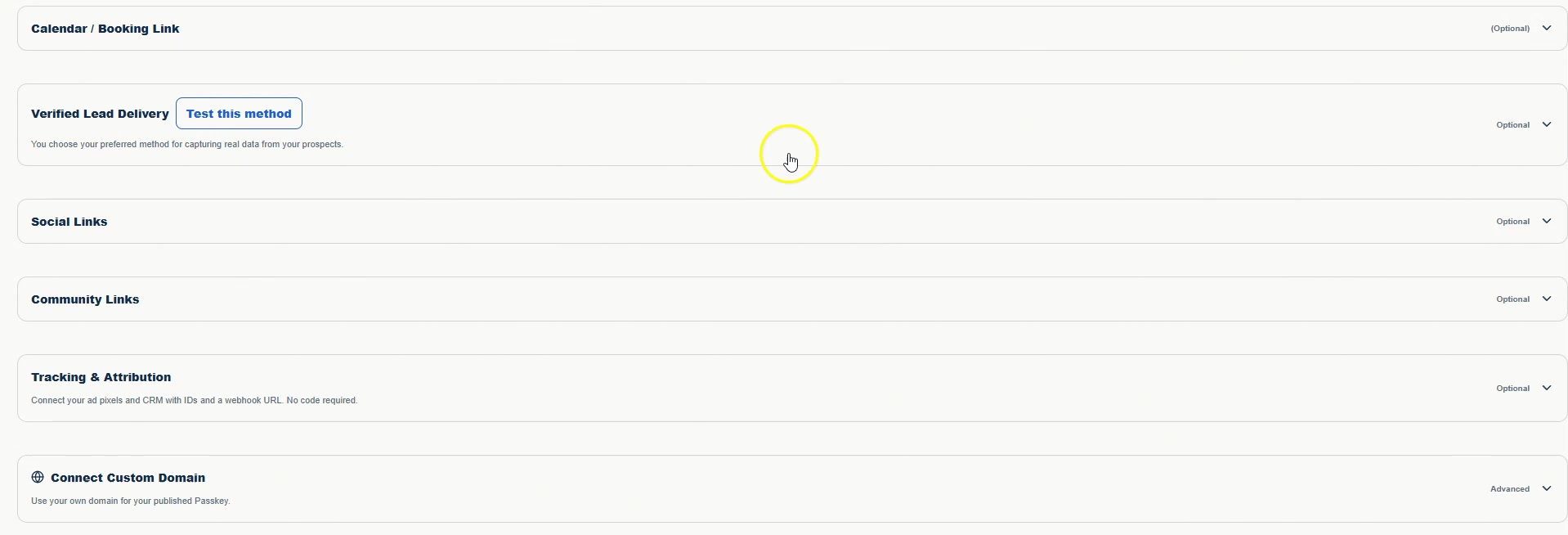
07 · Resources
Confirm contact details yourself—or through connected automation—before delivering the resource. Make that exchange count.
The difference
Ecosystem
Connectors and tracking are optional. Send browser push campaigns to people who opted in, and email card copies visitors request themselves. AI Growth Partner and Content Creation are coming soon.
Join the founding cohort and get free lifetime access to your guided card and follow-up workspace.
Claim 100% Free Lifetime Account